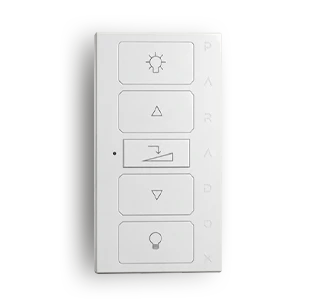
The DRC50M is a compact, 5-button wall-mounted controller that allows you to easily control automations connected to the Paradox M System. The buttons can be assigned to lighting, dimming, shutters, curtains, relays or other compatible outputs, giving you direct access to multiple frequently used functions from the wall.
5-button wall-mounted wireless controller for Paradox M systems
For controlling lighting, dimming, shutters, curtains, relays, PGMs and other compatible outputs
Two-way GFSK wireless communication
Fast wireless communication in under 20 ms
1 × CR2032 lithium battery
For indoor use
Can be installed in a single, double or triple frame
Can be combined with DRC20M, DRC40M and DRC50M controllers in a shared frame
Available in matt silver, white and dark grey finishes
Certifications: CE, FCC 15.247
A smart home is at its most convenient when the functions you use most are always within easy reach. With the DRC50M’s five buttons, you can easily control lighting, shutters, curtains and other automation functions, while everything operates as part of the Paradox M System.
The DRC50M is a wall-mounted controller that connects wirelessly to the Paradox M System and provides simple control of multiple automation functions. The five buttons can be used to control various lighting, shading and other automation outputs.
Thanks to its modular design, it can be installed on its own or combined with other DRC20M, DRC40M and DRC50M controllers in a shared double or triple frame.
Explore the full range of system options and see how multiple devices can be connected to form a single intelligent protection network.