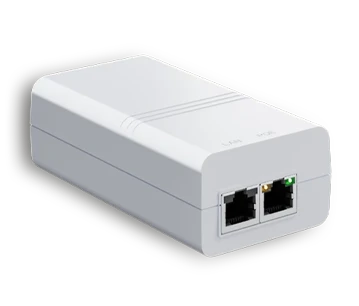
The EG30 PoE+ injector provides power and data connectivity for compatible PoE devices over a single Ethernet cable. It supports up to 30 W of PoE+ power, Gigabit data transmission and cable runs of up to 100 metres, providing a simple and reliable solution for connecting network devices.
Gigabit PoE+ injector with up to 30 W power output
Provides data connectivity and power over a single cable
PoE connection up to 100 metres over Cat5e/Cat6 cable
Gigabit data transmission
Built-in surge and ESD protection
Status LEDs
100–240 V AC power supply
Wall or desktop mounting
IEEE 802.3af/at compliant
Installing network devices is much easier when both data and power can be delivered over a single cable. The EG30 PoE+ injector provides compatible PoE devices with reliable power and Gigabit data connectivity over a single Ethernet cable. This simplifies installation, reduces the need for separate power cables, and allows network devices to be positioned more flexibly.
The EG30 PoE+ injector provides reliable power and Gigabit data connectivity to compatible PoE devices over a single Ethernet cable. With up to 30 W of PoE+ power and IEEE 802.3af/at compatibility, it can be easily integrated into the network infrastructure of the Paradox M System.
Explore the full range of system options and see how multiple devices can be connected to form a single intelligent protection network.