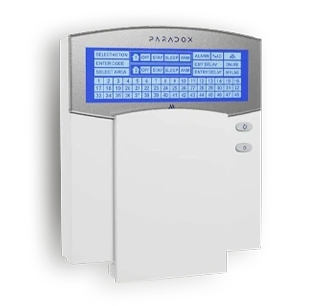
The K38M wireless LCD keypad provides simple and reliable control of the Paradox M System. Its clear icons make it easy to check the system status, while the panic function and programmable PGM buttons provide quick access to key functions. Its long battery life makes it a convenient and flexible solution for everyday use.
Wireless icon display keypad, 48 zones, 2 partitions
4 PGM activation keys
Panic control
2 x AA lithium battery, 6+ years of battery life with normal usage
Night illumination
Temperature sensor
Certifications: CE, FCC 15.247
Security is not only about protection, but also about ease of use. With the K38M wireless LCD keypad, you can quickly check the system status, control key functions, and always stay in control of your home security.
The K38M is the wireless keypad for the Paradox security system, providing quick and easy access to the system’s key functions. The clear LCD display allows you to easily check the system status and manage partitions, while the programmable buttons provide quick access to frequently used functions.
Explore the full range of system options and see how multiple devices can be connected to form a single intelligent protection network.